hotel lobby
One person per image
Use individual portraits with a clearly visible face. Group photos leave the model guessing which person belongs to a role.
TWO PHOTOS · SEASIDE DUET
Put your pair into a seaside performance. Add one portrait for each role; the reference clip and replacement prompt are already loaded.
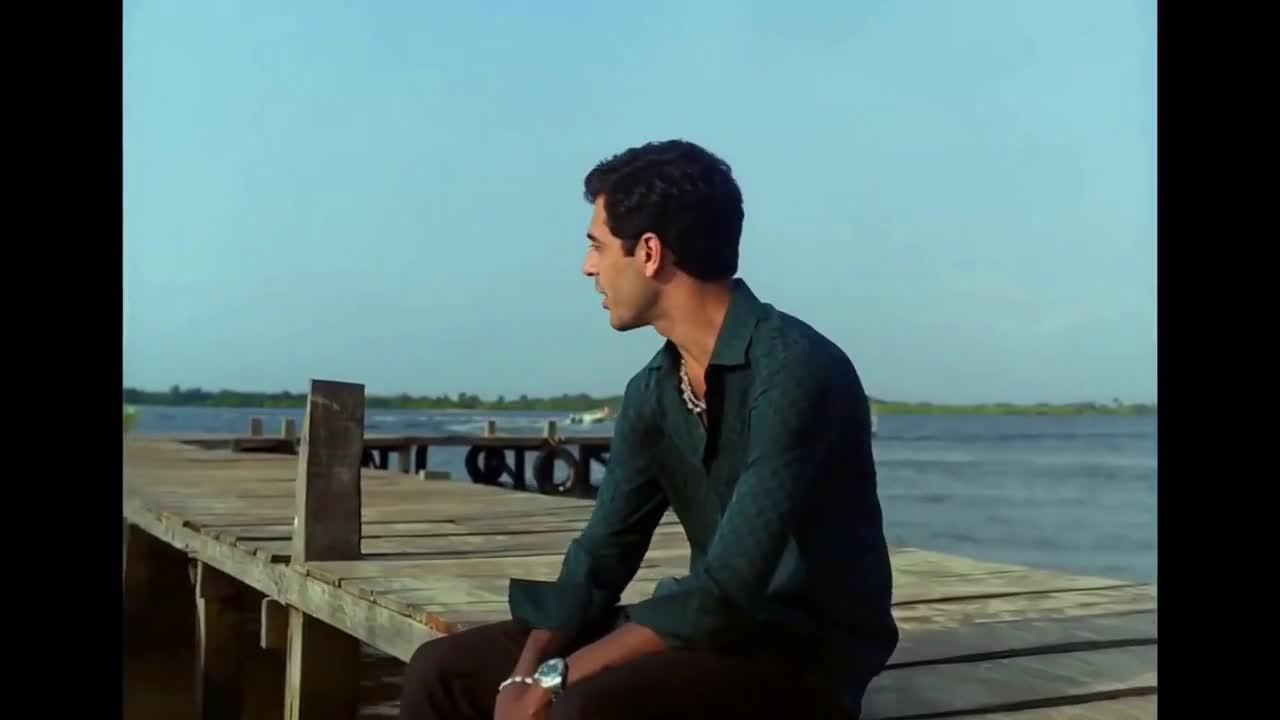
Photo 1 replaces the dark-haired seated performer. Photo 2 replaces the performer in the light green outfit. Keep the same person in each role across every cut. JPG / PNG / WebP · 10 MB each.
Say what to change, what Image 1 or Image 2 supplies, and what to preserve from Video 1.
AI motion and audio may differ from the reference.
15s output · 10s reference · entry quality for each model
Cost comparison only. Output quality and identity consistency are not guaranteed; choose your final settings below.
Use existing credits or buy a one-time pack. No subscription.
Buying credits does not start generation. Confirm here when you are ready. Confirmed failures return credits.
Your uploads and prompt are processed by an AI service. Use only material you have permission to use. Privacy & retention
THE TREND
Raindance AI searches commonly lead to photo-based recreations of the seaside performance associated with Dave and Tems. The appeal is a recognizable pair, a relaxed waterfront setting and a short clip made for sharing. This page makes a short reference-guided duet using your photos; it does not recreate the entire music video.
Use a clear portrait for Photo 1. This identity follows the dark-haired seated performer, including later close-ups.
Photo 2 replaces the performer in the light green outfit. Check the preview so you recognize both roles before uploading.
Start with the 10-second landscape setting. After generation, check that the two faces remain separate in the close-ups and shared shot.
Use individual portraits with a clearly visible face. Group photos leave the model guessing which person belongs to a role.
Landscape is the starting format for this seaside clip. A vertical export may reframe the pair; check that neither performer disappears.
Look beyond the first frame. Check face consistency when the camera cuts from one performer to the other.
No. This page includes a 10-second motion reference and a preset prompt. You only need two photos. You can edit the prompt if you want to adjust the instructions.
No. Try Hotel Lobby is an independent tool with no artist affiliation. The preview is a previously generated reference clip, not the official music video or a result made from your photos.
The preview includes audio so you can watch the template with sound. Generated audio may differ; Kling produces silent output. Buying credits does not grant music rights. Use music licensed for your intended use.
No. This page uses your Try Hotel Lobby account and credits. The separate Raindance site has its own account and balance.
This preset needs two individual photos for its two roles. For a single-person freestyle, try the Bulin 47 template.
The default 10-second MiniMax H3 output at 768P uses 160 credits, including the 10-second reference. The smallest pack is 240 credits for $6.99. Generation is paid; previewing is free. Other settings have their own exact quote shown before you confirm.
Buying credits does not start a video. Return to the saved studio, review the cost and confirm generation. Confirmed generation failures return credits. Photos and prompts stay in a device draft for 30 minutes; submitted files are processed by an AI service.
Photo privacy and retention · Use your own reference in the Genjutsu-style editor
Sources explain the trend and identify the reference. They do not endorse this tool or demonstrate a result made with your photos.
PHOTO-ONLY START
The reference video and prompt are included. Bring your photos.