 hotel lobby
What does “Migos AI video” mean here?
People use this phrase for the orange-studio, two-performer Hotel Lobby video format. The recognizable setup is a shared microphone, two distinct performers and coordinated gestures. Here, “Hotel Lobby” refers to the video style, not a hotel booking or virtual concierge service.
Try Hotel Lobby is an independent tool. It is not affiliated with or endorsed by Migos or the artists associated with Hotel Lobby. It uses your authorized photos for the two roles; it does not supply an artist’s likeness or the original song.
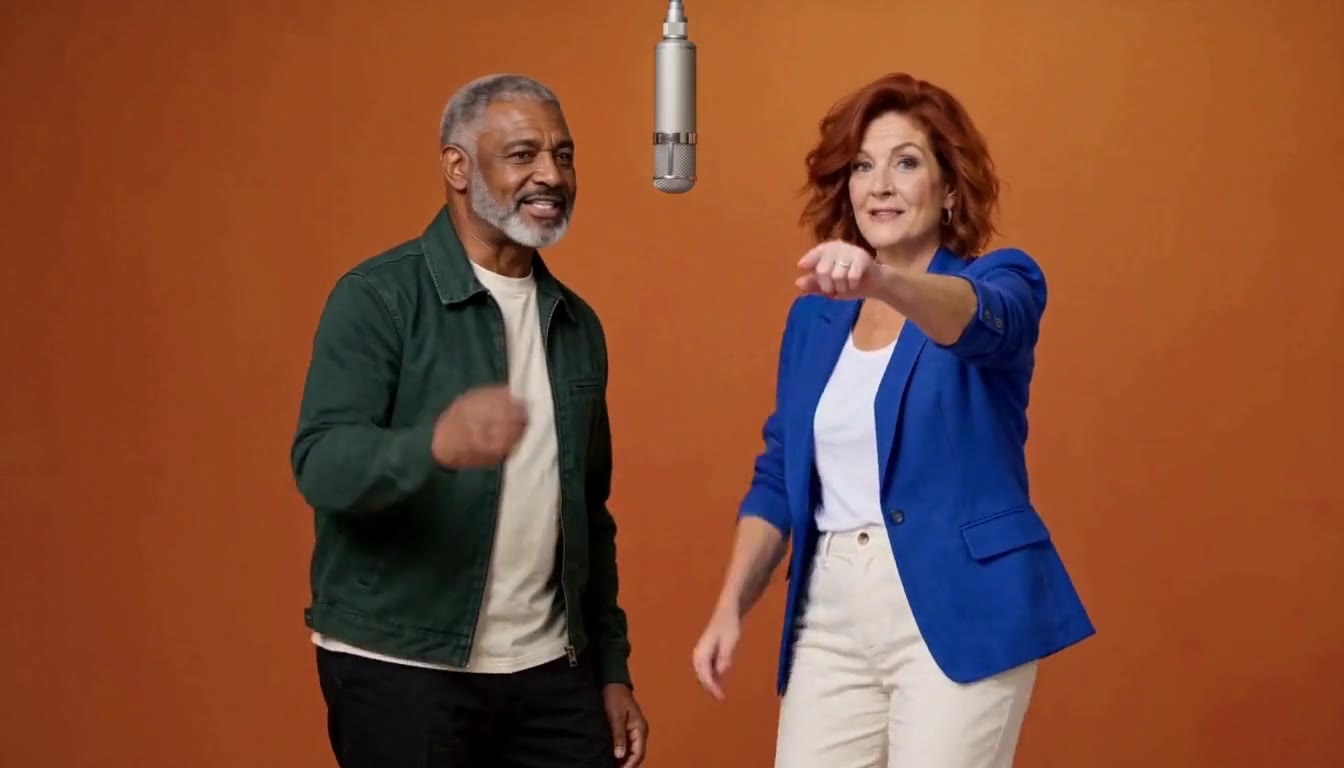 Watch the full examples and compare the two input portraits →
How do I make a Migos-style Hotel Lobby AI video?
- Choose two separate photos. Use one clearly visible subject per image, with the face and upper body in view. JPG, PNG and WebP are supported, up to 10 MB per image.
- Set the two roles. In the generator, Photo 1 is the left performer and Photo 2 is the right. Check the previews or swap their positions.
- Pick your output. The default is 15 seconds, 768P, 9:16 portrait. Choose 16:9 for a landscape frame like the examples, or 1:1 for square. Changing the aspect ratio does not change the credit quote.
- Sign in and generate. Sign in with Google or your verified email, purchase enough credits and check the displayed cost. The fixed reference and built-in prompt guide the movement and scene.
- Review and download. Check both performers through the whole clip, then save the video. You can return to My videos while a task processes.
You do not need to find a prompt or upload a reference video. This workflow uses one built-in motion reference; it is not a general editor for uploading any choreography. The prompt guide explains how the two photos and fixed reference work together.
Does the video include the original Hotel Lobby song?
No. The output has newly generated audio. Purchasing video credits does not license the original recording or promise exact lip sync. If you want a particular track, add music you have the right to use in an editor or through the destination platform’s licensed music tools.
Check the music terms for where and how you plan to publish, especially commercial use. A track available on one platform may not be licensed for reuse elsewhere. Use authorized photos and avoid deceptive impersonation.
How can I judge whether my video worked?
- Identity: compare both faces against the original photos throughout the clip, not just its first frame.
- Roles and movement: check left/right placement, body gestures, hands and any moments where the performers overlap.
- Framing: make sure both subjects remain visible in your chosen portrait, landscape or square output.
- Audio: listen before sharing. Do not assume the clip contains the original song or matching lip sync.
The public examples demonstrate two internal runs with fictional portraits, not a guarantee for every pair. Follow the photo selection guide to give the generator clearer inputs. A successfully completed video uses credits even if you decide to generate another version.
Want to check the format before paying? See exactly what is free to preview and what requires credits.
See the result before you choose.
Watch both complete examples, then bring your own pair to the studio. Generating requires purchased credits.
Create my video